
Four decks, one real mixer
Up to four decks on a four-channel mixer: gain, a three-band EQ that kills fully at zero, filter and headphone cue per channel, keylock, and line faders the length of a real mixer's.

Now in pre-beta
Four decks, timecode vinyl, stems and any MIDI controller – written from scratch for macOS and Apple Silicon.
Free during the pre-beta · macOS 15.0 or newer · Apple Silicon
This site speaks many languages. They are all translated, but only a few have been read by a native speaker — if a sentence sounds wrong to you, we would like to know. Suggest a correction
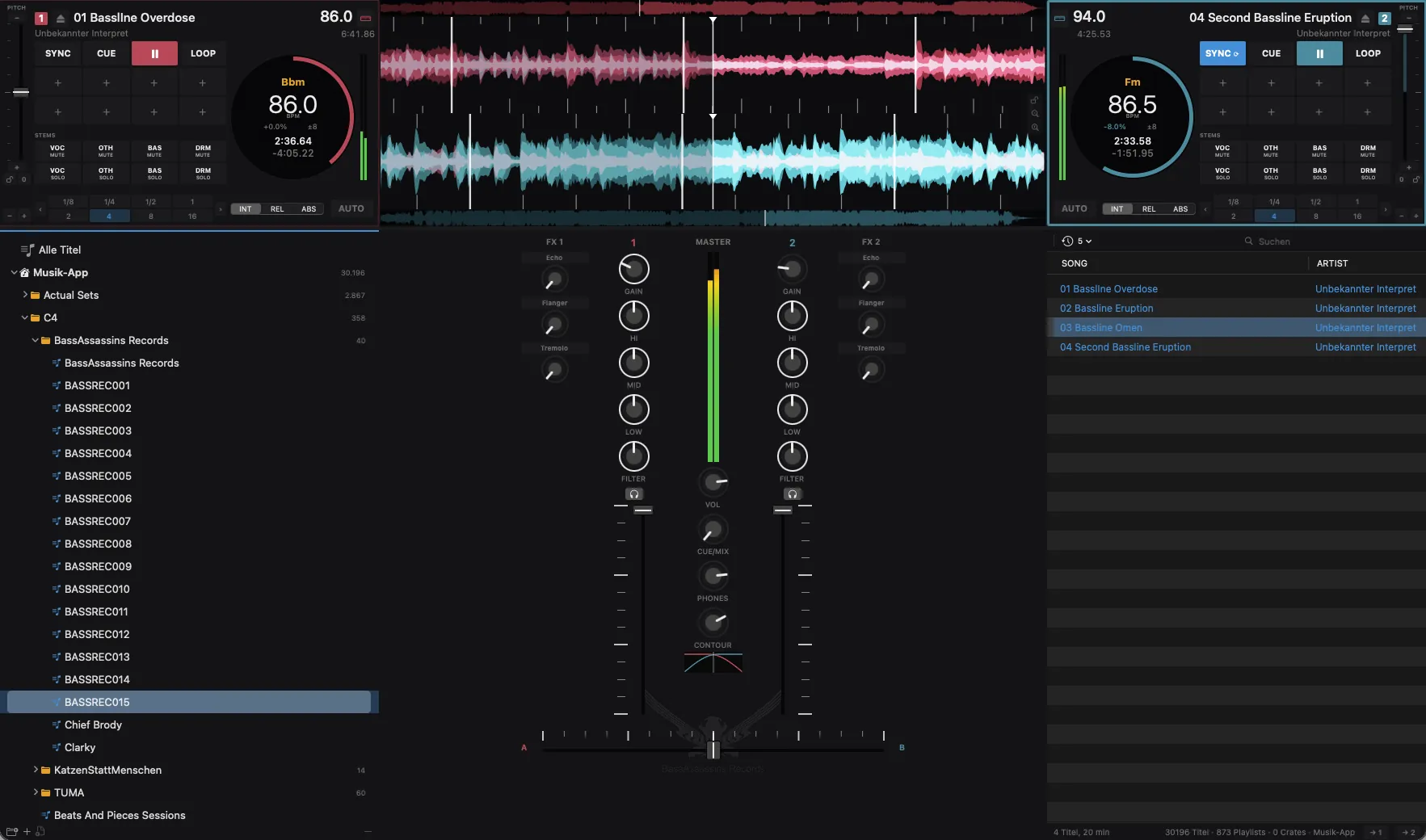
aDJusted is a DJ application for macOS. It reads the library you already have, works with the gear you already own and keeps the music going when the screen gets busy.
It is built by cYpher, a drum & bass DJ since the nineties, for real sets – and now open to DJs who want to help shape it. The audio engine runs apart from the interface, so a crowded screen never gets in the way of the sound.
Up to four decks on a four-channel mixer: gain, a three-band EQ that kills fully at zero, filter and headphone cue per channel, keylock, and line faders the length of a real mixer's.
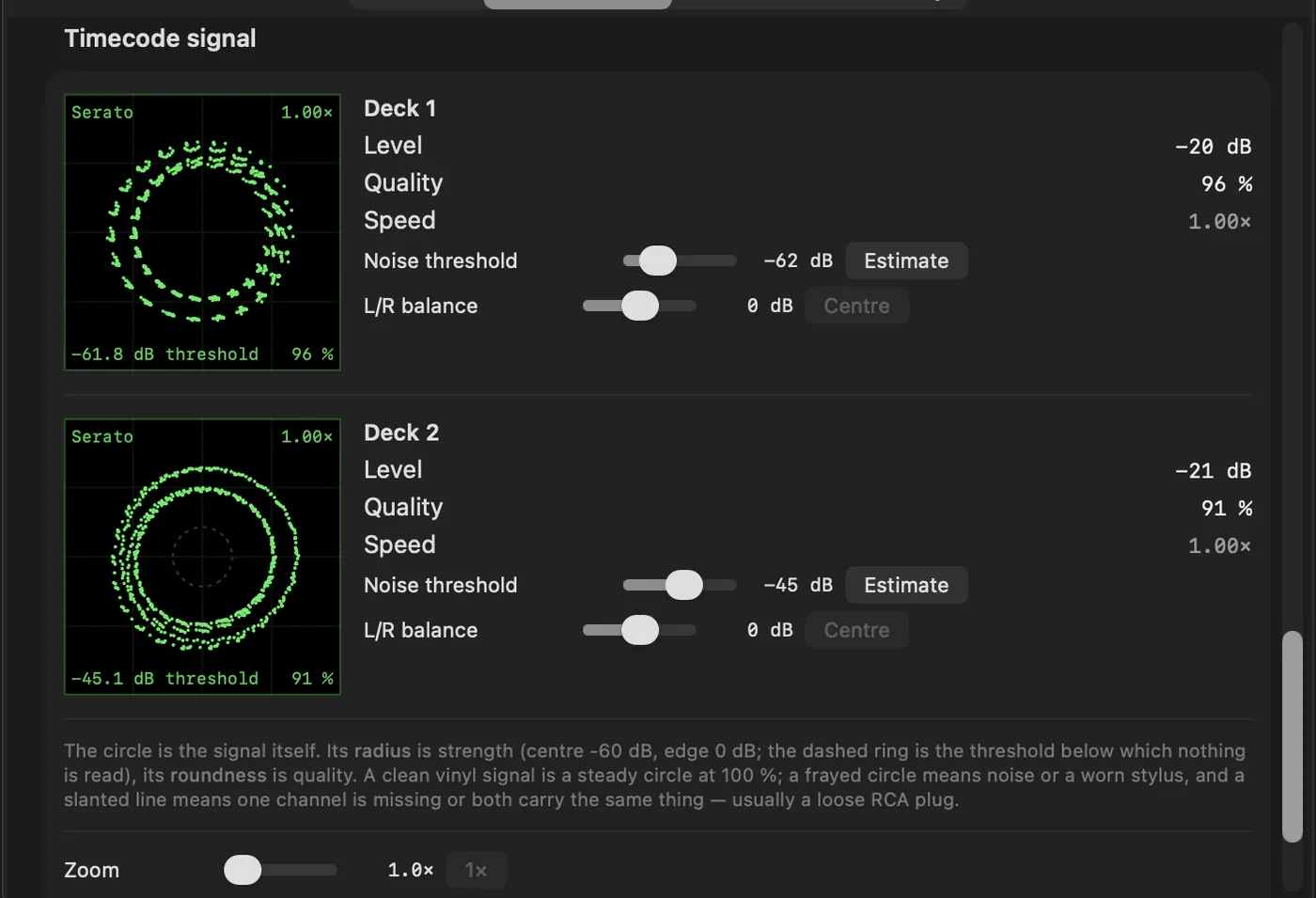
Serato and Traktor Scratch control records, in relative or absolute mode. A knock against the booth does not throw the track.
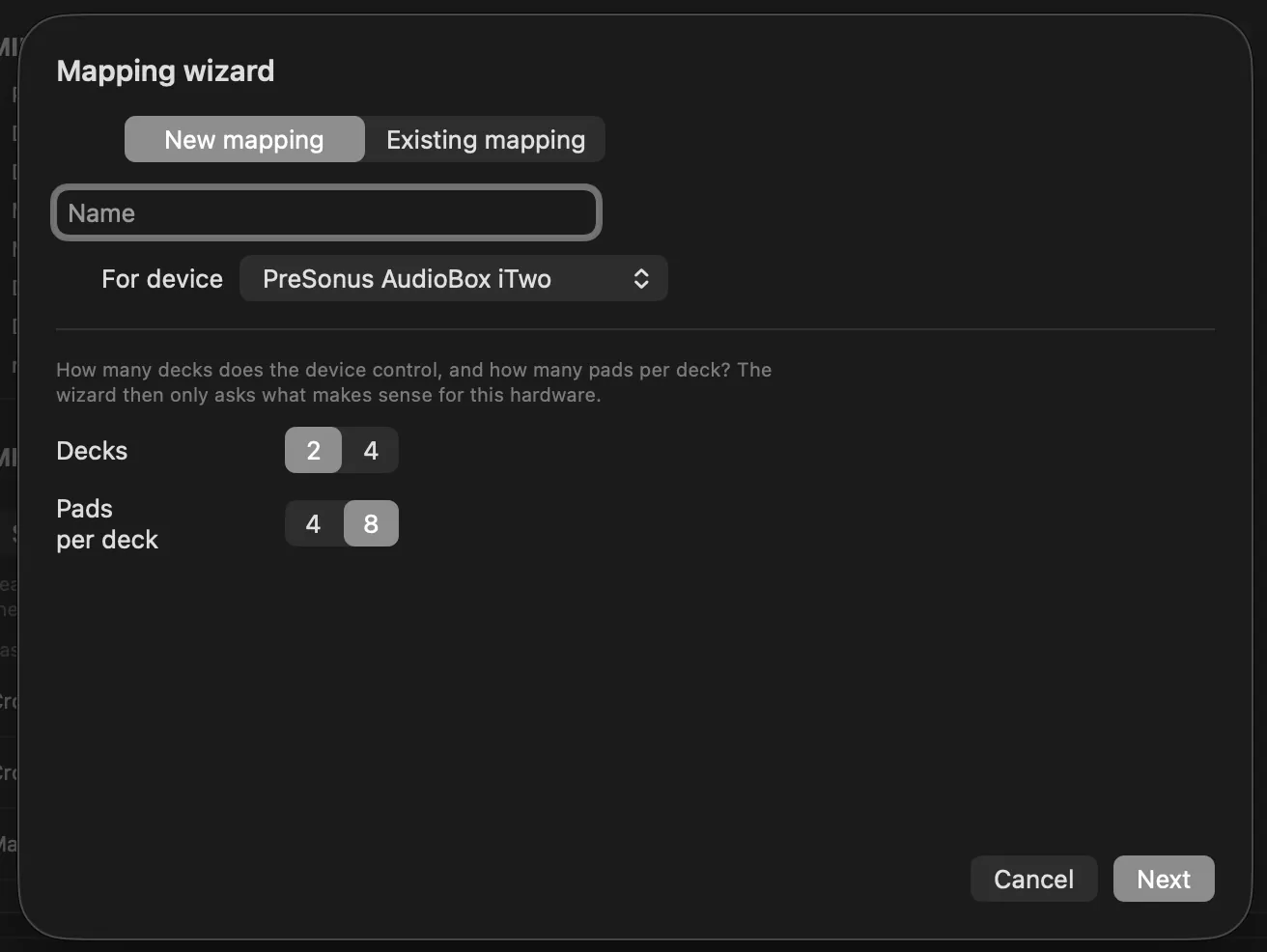
Mappings for popular controllers come with the app. Everything else you teach once with MIDI learn or the mapping wizard – several controllers at the same time.
Split a track into drums, bass, vocals and the rest on your Mac's own graphics chip – no internet connection, no upload.
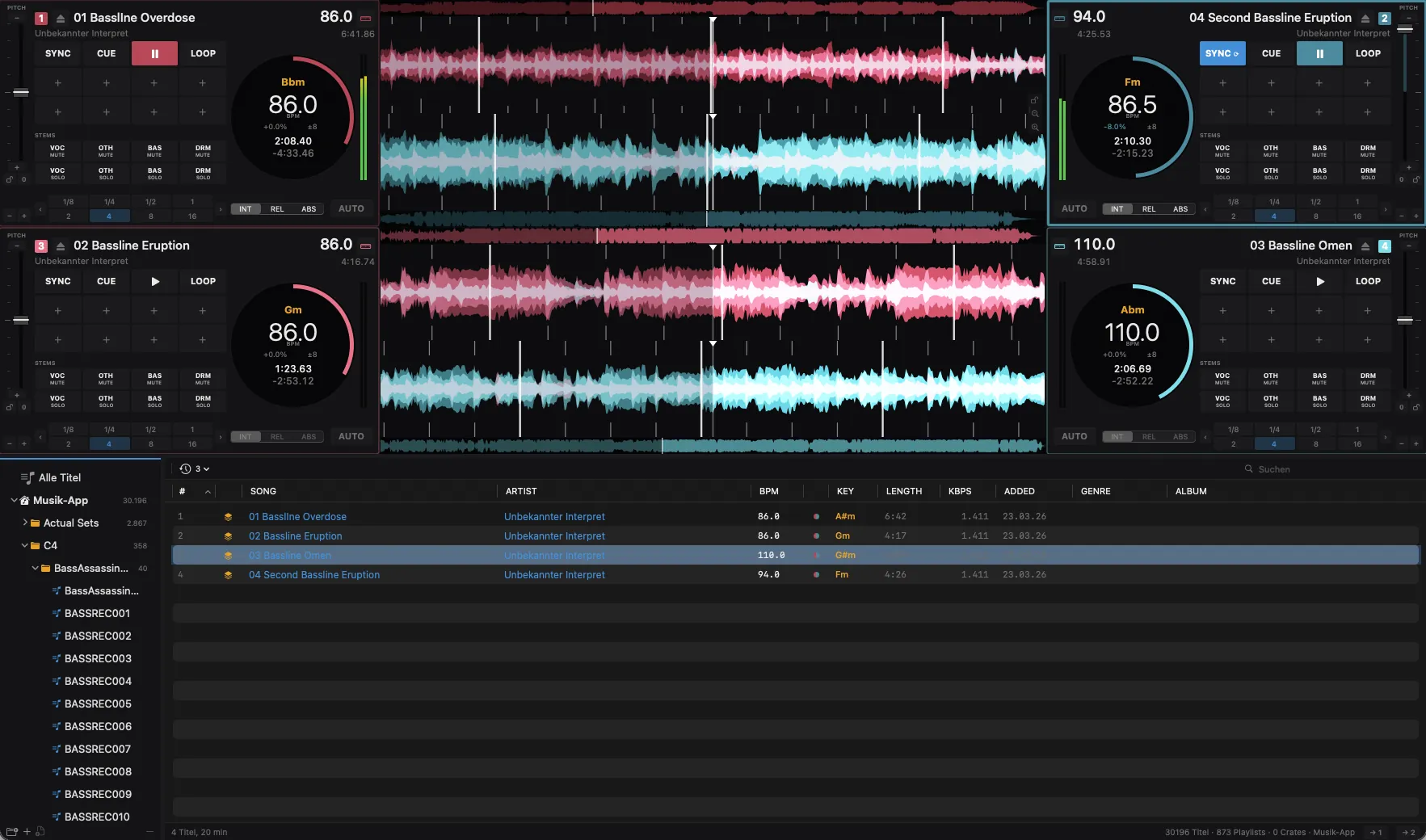
Music app, Serato crates, rekordbox XML and crates of your own, in any combination. Your Serato files are never written to.
An editor to set any beatgrid right by hand, in steps down to a single millisecond.
Three effect slots per deck from echo to bit crush, eight hot cues, loops that resize live, and 32 sample pads per deck.
Need a break? Auto-Mix picks the next track by tempo and key, and blends decks 1 and 2 on its own.
Digital vinyl
Play any deck from a turntable – with the control records you already have.
Library
No import, no copies. aDJusted reads your collection in place.
Controllers
No hardcoded list of supported devices.
iPad
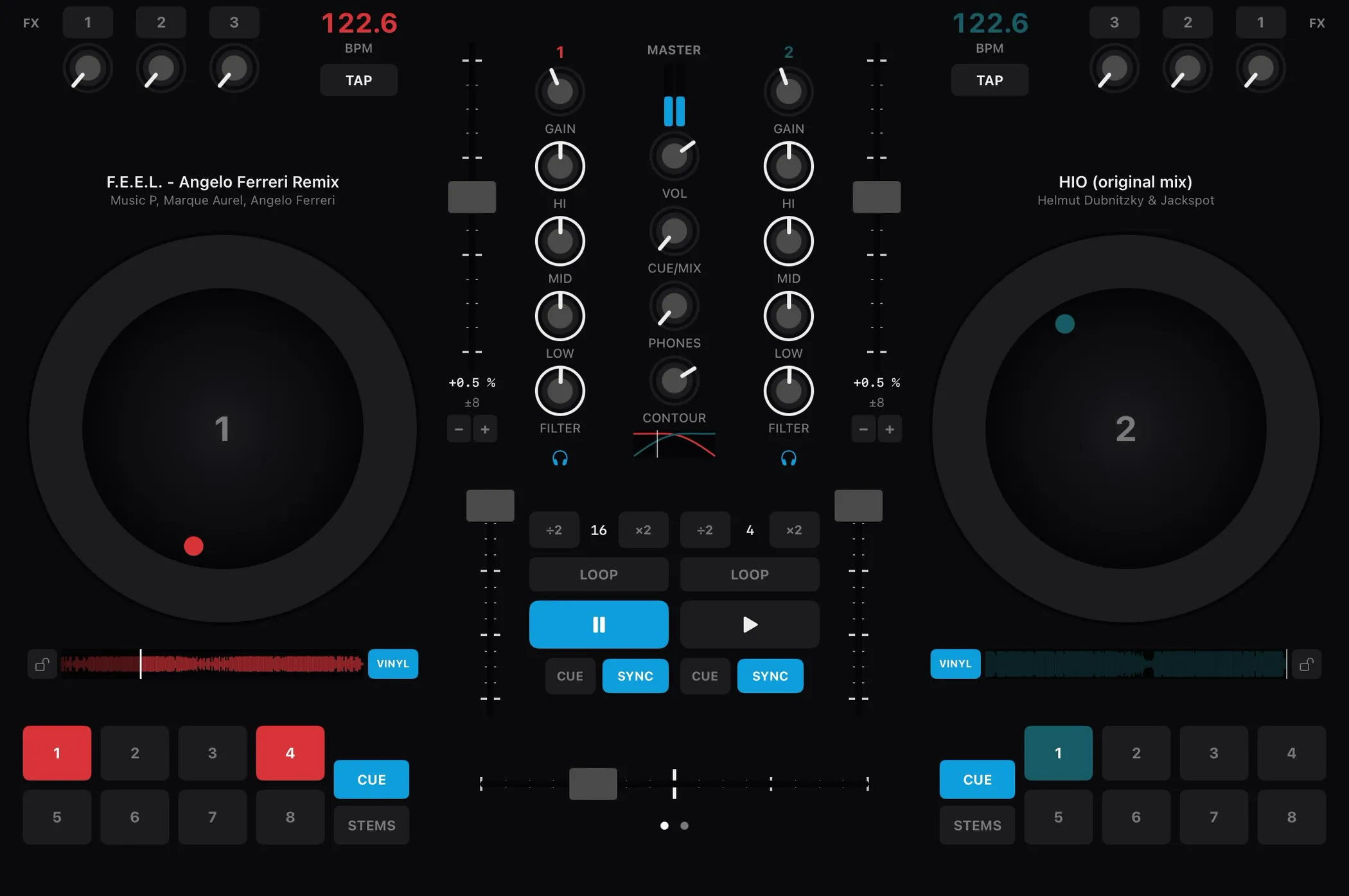
With the companion app aDJusted Remote, an iPad on the same Wi-Fi becomes a mixer with two jog wheels – in sync with the Mac, both ways.
| Minimum | Recommended | |
|---|---|---|
| Mac | Apple Silicon (M1) – Intel Macs are not supported | M2 or newer |
| macOS | 15.0 Sequoia | the current macOS |
| Memory | 8 GB | 16 GB for four decks with stems |
| Storage | 2 GB free, plus room for stems | SSD with 50 GB free |
| Display | 1280 × 800 points | 1512 × 982 points or more |
| Audio | any Core Audio device | for timecode vinyl: an interface with four line inputs, input and output on the same device |
aDJusted is in pre-beta and not for sale yet. Testers use it free of charge.
Not from a subscription: Apple Music tracks are copy-protected, and aDJusted cannot reach their audio. Tracks you bought and files of your own work fine. Streaming services are an idea for later – not a promise.
Serato Control Vinyl and Traktor Scratch records, at 33⅓ or 45 rpm. Absolute mode needs a record with a position signal, which the Serato record has.
If it speaks MIDI, yes – with a mapping that comes with the app, or one you teach it once with MIDI learn or the wizard. If you build a mapping for a controller we do not have yet, we would love to have it.
No. Serato files are only read; aDJusted keeps its own changes separately. rekordbox is read from its XML export, and written only when you export a crate yourself.
Stem separation runs on the graphics chip of Apple Silicon. aDJusted therefore needs an M1 or newer.
The interface comes in 22 languages; you switch it inside the app, at once and without a restart. If you want, it follows your Mac's language, as long as aDJusted speaks it – otherwise English. This website comes in 26 languages: Arabic, Hebrew, Tamil and Hindi are so far only here.
aDJusted is still in pre-beta: an early build for a small circle of testers. We are looking for DJs who want to play aDJusted in their own setup – and tell us what works and what does not. Send us a short e-mail; the button fills in the questions:
We use what you send us only to run the pre-beta. More in our privacy policy.